Automatic Gate Safety: Entrapment Risks and How to Test Your Gate
Automatic gates are heavy machines with real pinch and entrapment risks. Learn how safety standards, sensors and a simple monthly test help keep your household safe.

In this article
An automatic driveway gate is convenient, but it is also a heavy machine that moves on its own, often with nobody watching it. A gate weighing hundreds of pounds can trap or crush a person, a pet or a car with very little warning. Most serious incidents involve the same few hazards, and well-designed systems are built specifically to prevent them. Knowing what those hazards are, what the safety devices do and how to check them makes your gate safer for everyone who uses the driveway, especially children.
Where the risks are: entrapment zones
An entrapment zone is any place where a moving gate can pinch, crush or trap someone against a fixed object. The locations depend on the type of gate.
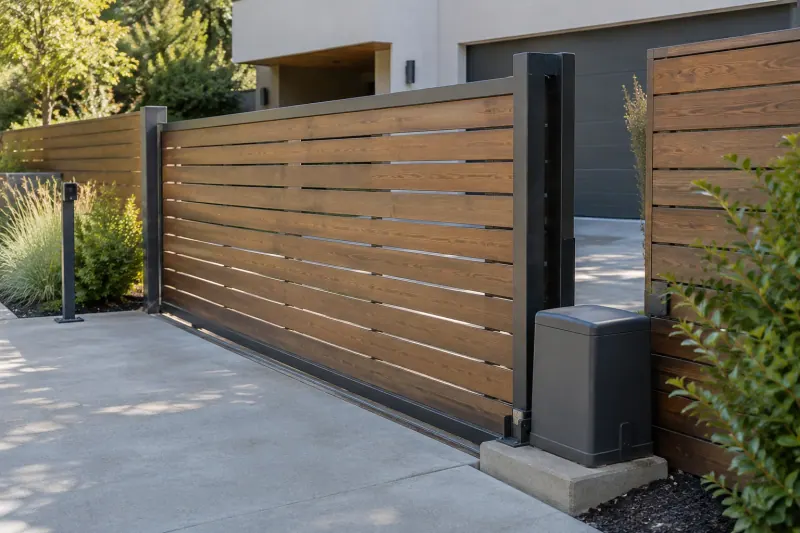
On a sliding gate, the main zones are:
- The leading edge, where the gate closes against the receiving post.
- The space where the gate slides back past its support post and along the fence as it opens.
- Openings in the gate or nearby fencing where a hand or arm can reach through toward the rollers or the operator.
On a swing gate, the main zones are:
- The space between the opening gate and a wall, fence or other fixed object behind it.
- The hinge side, where the gap between the gate and the post closes as the gate moves.
- The closing edge, where two leaves meet or a single leaf meets its stop.
Children are at particular risk because they may treat a gate as something to climb, ride or race. An adult may simply misjudge the timing. If you're still deciding on a gate style, our comparison of swing and sliding gates explains how the two designs differ.
The safety standards: UL 325 and ASTM F2200
Two standards shape automatic gate safety in the United States.
UL 325 is the safety standard for door, gate and window operators. For gate operators, it sets requirements for entrapment protection, such as the ability to detect an obstruction and stop or reverse. Over the years the standard has tightened, and current versions require that operators monitor their external safety devices. In practice, that means a properly installed modern operator should not run normally if a required sensor is missing, disconnected or faulty.
ASTM F2200 is a standard for the construction of automated vehicular gates. It addresses how the gate itself is built: limiting openings that a hand or head could pass through, guarding rollers and other moving parts, avoiding protrusions and managing gaps between the gate and nearby posts and walls.
The two work together. A compliant operator on a poorly designed gate, or a well-built gate with missing sensors, still leaves gaps in protection. Requirements and how they are enforced vary by jurisdiction, so check with your local building department about what applies where you live, and expect a qualified installer to know the current requirements.
How the safety devices work
Modern automatic gates rely on several layers of protection.
Inherent obstruction sensing
The operator itself can detect when the gate meets unusual resistance, for example by sensing a change in motor load, and then stop or reverse. This is a backstop, not the first line of defense, because by the time the operator senses resistance the gate has already made contact.
Photo eyes
Photoelectric sensors send an invisible beam across an area the gate moves through. If something breaks the beam, the operator stops or reverses. Photo eyes are commonly installed across the gate opening and, on sliding gates, across the area where the gate slides back. They detect people and objects before contact.
Edge sensors
Edge sensors are strips mounted on the leading or trailing edges of a gate, or on fixed surfaces nearby. When pressed, they signal the operator to stop or reverse. They protect the exact places where a gate closes against something.
Manual release
Every operator has a way to disconnect the gate from the motor so it can be moved by hand during a power outage or emergency. Learn how yours works before you need it, and keep any key or tool where household members can find it. Some gates move freely once released, especially on a slope, so release them only when you're ready to control the gate's movement.
Keeping children and visitors safe
Most of the advice here is about habits:
- Teach children that the gate is not a toy. No climbing, riding or racing it.
- Keep remotes and keypads out of reach of young children. Mount fixed controls well away from the gate, where the person using them can see it move but can't reach it.
- Watch the gate until it finishes moving. Don't trigger it and drive or walk away.
- Use a separate pedestrian gate for people on foot. A vehicle gate is not designed for foot traffic.
- Keep warning signs visible on both sides of the gate. Warning signage is part of the safety standards, and it reminds visitors that the gate moves on its own.
A monthly safety test checklist
Safety devices can fail quietly: a sensor gets knocked out of line, a lens gets dirty or a wire gets chewed. A short monthly check catches most of these problems. Use an object, never a person or a body part, for every test.
Alongside your monthly check, have a qualified technician service the system on the schedule the operator's manufacturer recommends.
When to call a gate professional
Call a gate technician if any safety test fails, if the gate stops or reverses without a clear reason, if you notice damage to sensors, posts or the gate itself, or if your gate is older and you're not sure it has any external entrapment protection at all. An older system may need upgraded sensors, guarding or a new operator to meet current standards. Our guide to choosing a gate installer covers the questions to ask, including how they handle safety compliance.